




Skip to content
Fkah

Integrations

Connect your books the way that suits you

An accounting system, an API, or a file you upload. The engine reads your own ledger as it stands in your system, and all data and processing stay in the Kingdom.

A Saudi man in a thobe reviewing his company data on a tablet

Government sources

Official readings, beside the reading of your ledger

Check what you hold on your counterparties against the official source, without copying it by hand.

  • 01Beta

    Wathq

    Commercial registration status, registered name and registration expiry of your counterparties.

    Ministry of Commerce
  • 02Coming soon

    Investment licences

    Investment licence status of foreign-owned counterparties.

    Ministry of Investment (MISA)
  • 03Coming soon

    Qawaem

    Know your prospective customers' solvency from their audited financial statements.

    Ministry of Commerce
  • Wathq is available in beta; investment licences and Qawaem are coming soon.
  • The connection uses your company's own subscription or access with the authority, where the authority requires one.
  • Government readings sit beside the analysis of your ledger. They do not replace it.
  • The engine still decides nothing. It shows you what it found, and your team decides.

Logos belong to their owners; showing them here implies no partnership or endorsement.

From the client’s screen

How it looks in your workspace

Captures from the platform on a sample company, never client data.
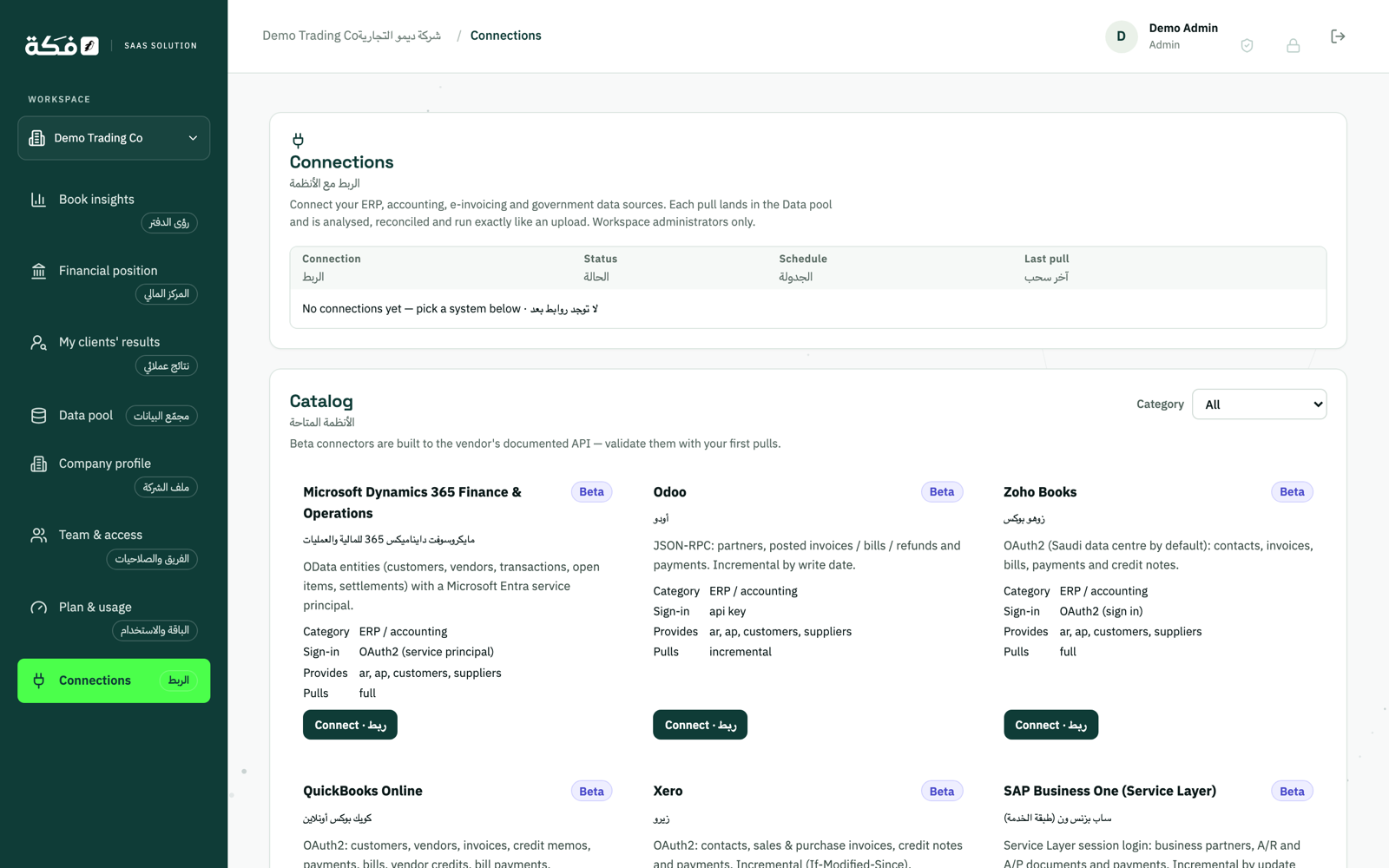
The connectors screen of the Fkah platform: accounting systems, each connector’s status and its pull schedule
Connect your ERP and set the schedule yourself.
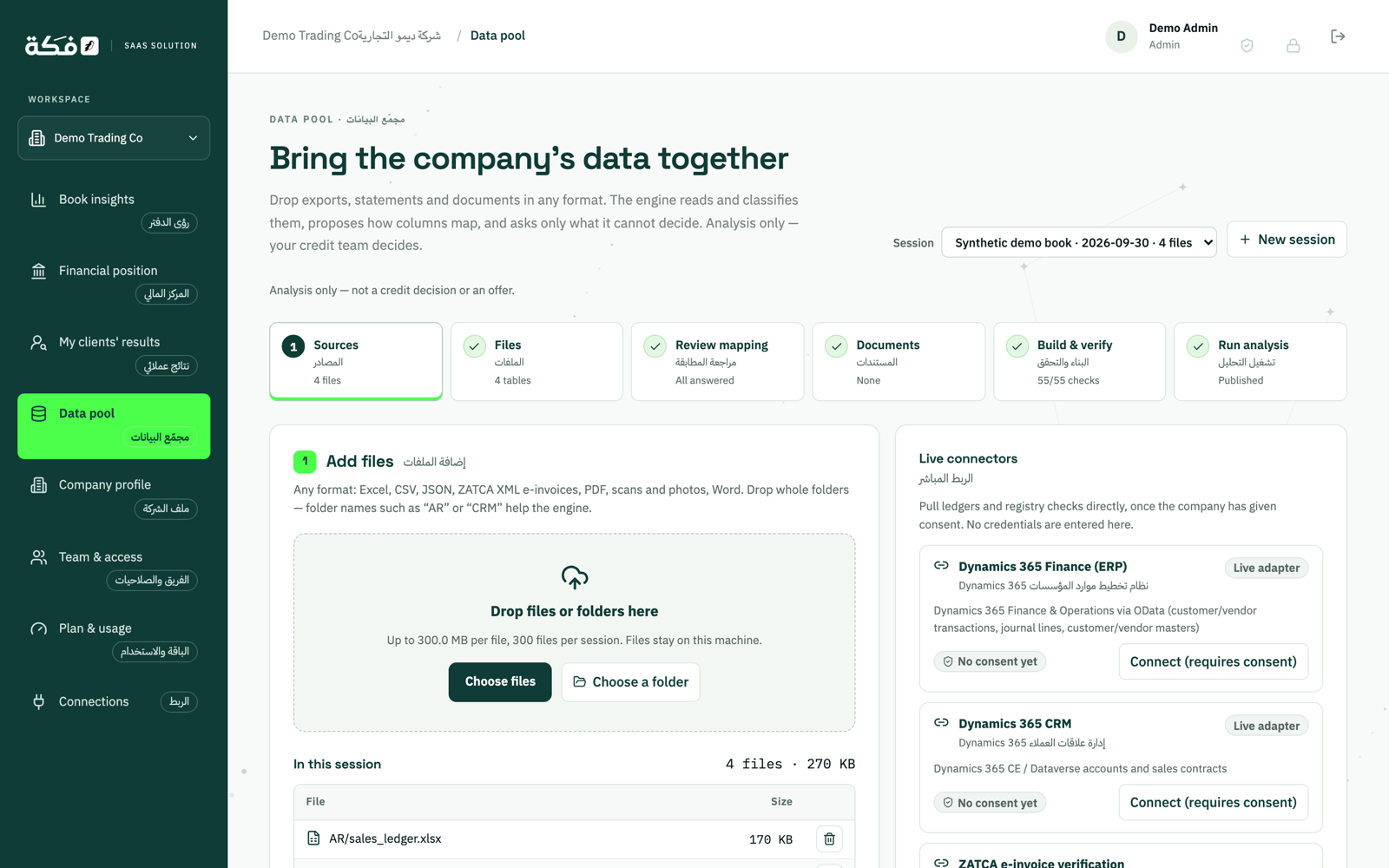
The data pool screen of the Fkah platform: incoming files and the check result for each one
Every file checked before the engine reads it.

Accounting systems

A direct connection to your accounting system

The engine pulls receivables and payables from your system on a schedule you set. The connectors are built, and each one is validated on the first pulls from each client's system.

  • 01Microsoft Dynamics 365 F&OBeta
  • 02SAP Business OneBeta
  • 03Oracle ERPBeta
  • 04OdooBeta
  • 05Zoho BooksBeta
  • 06QuickBooks OnlineBeta
  • 07XeroBeta

All current connectors are in beta: Microsoft Dynamics 365 F&O, SAP Business One, Oracle ERP, Odoo, Zoho Books, QuickBooks Online and Xero. Don't see your system? Most systems can connect through the ingestion API or a REST/JSON pull.

Other channels

No connector? There is still a way in

From the API down to a file uploaded in the browser.

  • 01Available

    REST ingestion API v1

    Documented with an OpenAPI specification, with keys scoped to each use.
  • 02Available

    Generic REST/JSON pull

    The engine pulls from any REST endpoint that returns JSON, on a schedule you set.
  • 03Available

    Secure HTTPS file drop

    Your system drops files at an encrypted endpoint, and the engine reads them as they arrive.
  • 04Available

    Web upload

    Excel, CSV and JSON files, and ZATCA e-invoice XML files. Reading PDF financial statements is in beta.
  • 05Beta

    Email intake

    Send files by email. The engine accepts them from verified senders only.
  • 06Beta

    PDF financial statement import

    Statements are read by fixed rules and checked by a person on our team. No AI reads your documents.

On ZATCA: the engine imports the e-invoice XML files you upload. It is not a live connection to ZATCA systems.

What the statuses mean

Every integration carries its status

Available
Available for use today.
Beta
Built, and validated on the first pulls of each client's data.
Coming soon
Not built yet. We will say so when it is ready.

Your data stays yours

  • Data and processing in the Kingdom
  • Full isolation between each client's data
  • Malware scanning of every uploaded file
  • No AI reads your documents

Next step

Talk to us about your system

Tell us which system you use and how you want to connect it, and we will set up the route with you. Government sources come with the AR + AP + External assessments package.